Home Games Technology Movies Retro
Showing posts with label Apple. Show all posts

Wednesday, December 9, 2009

Chrome 4 Beta available for Mac and Linux

Chrome is finally available to both Linux and Mac users. I have really enjoyed using Chrome in Windows but since i don't use Windows that often I would have really liked it to be available for the Linux and the mac platform. Google heard my geek prayers and released Chrome 4 beta.

I installed it and run to both platforms without any problems and to my delight there were ready-made packages for Ubuntu, as well as for Fedora and Suse all having 32 bit and 64 bit versions.

One noticeable difference of the two versions is that the Linux one keeps the default blueish theme while the Mac version has a metallic theme obviously to play along with the rest of the metallic theme of OSX. In addition one, hiccup is that In Ubuntu, Chrome does not follow the windows behavior set in user preferences. Thus, for example, if you have set for a window to roll-up if you double click on the titlebar it will just stay there which is kinda disappointing. I guess its still in beta and better integration will come in the near future as soon. In addition, the mac version does not support extensions for now which is a bummer since extension have some very useful stuff. in Linux version though they are enabled and ready for use.


I like Firefox but it has started to get to my nerves how painfully bloat it has become. When Firefox came out 5 years ago it was bleeding fast compared to Internet Explorer, which was one of the reasons it became the browser of choice for many people. Chrome still lacks the plugin support that Firefox enjoyes but it will come in the near future (the extensions are in beta as well). All I can say Chrome is the new Firefox.

Friday, May 22, 2009

Play Lord of the Rings Online on Mac OSX

I have bitched about the state of mac gaming before. I still stand by that as nothing is different and nothing got better. The development companies (or production companies for that matter) still ignore the platform and the few games are still more expensive than their windows equivalent, save for some exceptions. There is yet hope though.

There are other ways to play your favourite games on the mac without leaving OSX to bootcamp back to windows. I tried parallels. At first, I was thrilled and excited, but then I was as annoyed as bootcamping and more(its slower than windows on bootcamp). It is an impressive piece of software but I still had to load an entire Operating system even if the loading took place on a virtual machine. I then tried Crossover games. For this paragraph i 'll just say that lotsa Orc-slaying is taking place using Crossover.

Crossover is a commercial flavor of wine, the well known open source Windows API implementation, that allows windows programs to run on various operating systems including Linux and Mac OSX. I have used wine in the past to play games but it felt more like work to maintain your gaming environments clean and keep your games in a working order without screwing something up. Crossover is saving you from just that. It is basically wine with a better environment and lets you install your windows games cleanly without affecting your other games and it lets you configure everything correctly without much headaches. It is doing that with the use of bottles(get it? bottles of wine?) to isolate your individual games and everything runs on it own bottle.

Avoid windows and orc bad breath

Lately I am hooked on Lord of the Rings Online (more on that in a future post). Lotro occupies most of my gaming time and, at least for that one, I needed to find a way to play it efficiently on the mac without resorting to bootcamp. Crossover games was the answer. Even though tehcnically Lord of the Rings Online is not officially supported by Codeweavers it is still playing great. Installing it is straight forward once you know the correct steps. Basically the game plays as is. The only difference is that one has to replace the original .Net game launcher with another one that is compatible with Crossover. This is where pylotro comes into play. Make sure you download the windows pylotro version to install it in your bottle.

(Obsolete instructions. Please look further down in the post for the updated instructions)
Basically the steps for the US version are:
  • install Crossover Games
  • create a windows 2k bottle(its been know to be more stable)
  • install the game from the downladbale Mines of Moria client
  • install pylotro
  • run pylotro and patch game from there

For the European version it is slightly different:
  • install crossover
  • create a windows 2k bottle(its been know to be more stable
  • install Book 14 client
  • install Mines of moria update 1
  • install Mines of Moria Update 2
  • from the extra software packets of Crossover install VC++ 2005
  • install pylotro
  • run pylotro and patch the game

I have been playing Lotro from crossover games for many days now and it is very stable with very good performance. In addition to Lotro I have been playing Team Fortress 2 and Half Life 2 from Crossover games without any issues whatsoever. Before trying it make sure to check on the compatibility pages if your game is supported. Ok I may bootcamp for something that is not supported but for 90% of the time I am ok. For 39 dollars being able to enjoy my favourite games without leaving OSX is a very good deal. Crossover has a full fledged demo version to try it before you buy it. In addition by buying a licence you support a company that supports open source and in addition writes a very important opensource project, wine.

UPDATE 13/11/10

Good news everyone! Codeweavers are now supporting Lord of the rings Online with C4P installation in crossover games. That means less hussle setting it up. It also runs like a breeze with 9.2.

The installation process is a breeze now.
  • Download the client setup files from the links found on the Tips and tricks page of the game's support page. Please note that there are different files for North American and European clients. This will install the Siege of Mirkwood client(don't worry you will update later). Do NOT use the latest free to play client because it will NOT work.
  • After you have installed the latest crossover games version (9.2 at the time of writing) create a new windows xp bottle and go to the game's support page on codeweavers website
  • Click on the the C4p icon on the right hand side of the page to initiate the automated installation procedure. Click through the security messages.
  • Start the automated procedure and provide the lotro client location on your computer to the wizard.
  • The rest of the downloads will be handled by C4P
  • After the installation is complete use pylotro to run the game (the game's regular client won't work).
  • Patch to the latest version using pylotro
  • If the game is not launching for you, check to see if DirectX modern package is installed in your lotro bottle in crossover. If it is not, install it through the supported installations of the bottle.

Friday, February 13, 2009

The state of Mac gaming

In the mediocre 1995 film The Net Sandra Bullock, in one particular scene, played on her Macintosh a game. This game was Wolfenstein 3D, the father of all FPS and one of the first games by id software. This was a 1992 game but its inclusion to the 1995 movie strikes me me as something ironic and prophetic as to to the state of mac gaming. Despite the efforts of some companies and despite the RDS at work in various occasions(such as inviting Carmack to talk at WWDC) the state of mac gaming is bad.

Even though I am a mac user (among all major OSes as well) for years, I rarely do my gaming on the mac. I have a Windows box for games as well as consoles for that. The reason is simple I cannot find the games I want for the mac platform and, even if I find them, they are far more expensive than their PC version. A visit at any major e-shop will persuade you. Old Mac games cost more than new PC games and you can only find blockbuster titles.

Get "brand new" games for your mac at "fantastic" prices

There are some companies, though, that for years now support the mac platform consistently by releasing hybrid discs that work on macs and on a PCs alike and release the patches at the same pace. The biggest of them all is Blizzard that releases all the games for both platforms. Blizzard is so commited to the mac platform that even released patches to play older games written for OS 9 to the modern OS X. Another company is Cyan (I admit it I am a Myst fan) who releases all the game in hybrid discs as well. EA said that it would support the platform and as a result Spore was released in a hybrid disc but I guess that was due to the nature of the game. Some marketing director concluded that the people in the mac community will likely buy the particular game. All these companies though are not the rule, but merely the exception.

Fortunately we will be able to kick Diablo's ass using our mac thanks to Blizzard

Most mac game realeases are not done by the original developer but instead are ports made by third parties. Most of the games I have played were bad ports. The most common flaw is the performance hit. Older games that you would think they would play fine are slower than death in extremely powerful mac configurations. A very good(bad) example of that is Neverwinter Nights 2. An old game by PC standards and yet it plays awfully slow on a current gen Macbook Pro. I blame Aspyr for that and I have to say that I am very disappointed about other ports done by that particular company.

The transition to Intel processors some years ago allowed companies to create mac versions of their games easier and the current market share increase made some companies think twice before ditching the platform. I am not optimistic though. We will just have to wait and see what happens in the future.

Wednesday, January 7, 2009

iTunes DRM free and 8 hour battery Macbook Pro

Each Macworld Expo is as exciting as the previous one. New policies are unveiled, new products are presented and as always many people talk for days before and after each Macworld about what will and what did happen respectively.
This year we saw an incredibly important announcement. One that will shake the very foundations of the music industry. DRM free songs from iTunes. For years now people complain about the DRM and the big music companies fight them following one golden rule: lock, lock, lock. At last The biggest player in online music distribution is allying with the users to provide them with what they wanted. DRM is dead. Woohoo. Apple already has 8 million DRM free songs on the store and all 10 million will be DRM free by the end of March this year.

Anoher exciting announcement was the release of the new 17" Macbook Pro with up to 8 hours battery. This is yet to be tested though. I guess if you were to use wireless and the disc drive this would go down to 6-something hours but who cares. 6 hours is more than enough for pretty much anything. I mean, my pevious gen Macbook pro does around 3-something hours if am careful and I am very happy with it.

Tuesday, January 6, 2009

Steve Jobs: "Its hormones not cancer.."

There was much talk recently why Steve would not be the keynote speaker in this years Macworld. There was talk of illness. The share price dropped. Rumors starting to circulate the net about Steve job leaving apple due to health reasons etc.

Yesterday Steve sent a memo explaining the situation. I myself hope this to be true so that Steve will be healthy and back with us... not for apple you sick geeks but for the guy to be ok.

January 5, 2009
Letter from Apple CEO Steve Jobs
Dear Apple Community,

For the first time in a decade, I’m getting to spend the holiday season with my family, rather than intensely preparing for a Macworld keynote.

Unfortunately, my decision to have Phil deliver the Macworld keynote set off another flurry of rumors about my health, with some even publishing stories of me on my deathbed.

I’ve decided to share something very personal with the Apple community so that we can all relax and enjoy the show tomorrow.

As many of you know, I have been losing weight throughout 2008. The reason has been a mystery to me and my doctors. A few weeks ago, I decided that getting to the root cause of this and reversing it needed to become my #1 priority.

Fortunately, after further testing, my doctors think they have found the cause—a hormone imbalance that has been “robbing” me of the proteins my body needs to be healthy. Sophisticated blood tests have confirmed this diagnosis.

The remedy for this nutritional problem is relatively simple and straightforward, and I’ve already begun treatment. But, just like I didn’t lose this much weight and body mass in a week or a month, my doctors expect it will take me until late this Spring to regain it. I will continue as Apple’s CEO during my recovery.

I have given more than my all to Apple for the past 11 years now. I will be the first one to step up and tell our Board of Directors if I can no longer continue to fulfill my duties as Apple’s CEO. I hope the Apple community will support me in my recovery and know that I will always put what is best for Apple first.

So now I’ve said more than I wanted to say, and all that I am going to say, about this.

Steve

Friday, November 14, 2008

Microsoft's Office Web to support Linux and Mac OSX

Microsoft never liked open technologies and I am not just talking Open source here. I mean just having something that can play along with other companies' technologies. ActiveX or Frontpage extensions anyone? At this day and age though, even Microsoft has to reconsider past practices. With many users jumping train to other Operating Systems and other companies pushing web products in the market, it would stupid not to support them if you are building a web service.

Last month Microsoft introduces Office Web which is a lightweight version of Microsoft's office that runs as a web service. Microsoft now announces that the Office Web will be compatible with Linux and the iPhone. That means that users of Safari and Firefox will be able to use it as well. I am guessing here that Microsoft is becoming increasingly alarmed by Google's policy of run everything everywhere which is gaining momentum. With so many Mac OSX, Linux and iPhone user's out there Microsoft just could not afford to loose more users.

Saturday, October 25, 2008

New Perian Quick Time codec pack version is out

The team behind Perian, the codec library that allows quick time player to play unsupported formats in Mac OS X, has just released a new version. Perian allows the playback of various formats such as flv and divx that are unsupported by quick time officially. Quick time player limitations force users resort to others solutions like the, excellent in my opinion, VLC player. Using Perian you you can view videos natively, capture video from various sources and even have subtitles support through quick time.

Perian supported formats:
  • File formats: AVI, DIVX, FLV, MKV, GVI, VP6, and VFW
  • Video types: MS-MPEG4 v1 & v2, DivX, 3ivx, H.264, Sorenson H.263, FLV/Sorenson Spark, FSV1, VP6, H263i, VP3, HuffYUV, FFVHuff, MPEG1 & MPEG2 Video, Fraps, Snow, NuppelVideo, Techsmith Screen Capture, DosBox Capture
  • Audio types: Windows Media Audio v1 & v2, Flash ADPCM, Xiph Vorbis (in Matroska), and MPEG Layer I & II Audio, True Audio, DTS Coherent Acoustics, Nellymoser ASAO
  • AVI support for: AAC, AC3 Audio, H.264, MPEG4, and VBR MP3
  • Subtitle support for SSA/ASS and SRT
On the down side Perian does not offer wmv support yet. Thus you will still have to rely on Flip4Mac for that. Then again, you just might use VLC for everything and forget all about quick time player and its limitations.

Make your choice and happy viewing.

Saturday, October 18, 2008

New Macbooks:firewire port omission makes people angry

Apple introduced the new Macbook and Macbook Pro notebooks lat week. The release was controversial and stirred a great deal of angry posts around the Internet mainly because of the firewire port omission from the Macbook.

Besides the usual processor upgrade for both of them the 2nd configuration Macbook pro now comes with 4 GB as standard. In addition both of them feature a new glass trackpad. The new macbook gets a proper graphics card this time ditching the crappy integrated intel chipset. The macbook pro notebooks get a second graphics as well enabling the user to choose which one to use in order to have more graphics power or to save battery life. Odd, but smart if you ask me. 

Apple as usual disregarded the angry people that have firewire camcorders or other firewire peripherals and Steve simply stated that “Actually all of the of the new camcorders of the past few years use USB 2”. So what exactly is Steve saying to us ? “Go buy a new camera”? 

Apple has been one of the companies to quickly ditch aging technology. The most famous ditch was the omission of the floppy drive on the first iMac. On the other hand there are tons of peripherals that make use of the firewire port. For example when buying an external hard drive I always opt for one that has firewire connectivity as well. Besides the steady transfer speed I use one USB less which is crucial on my USB-challenged Macbook Pro, which only has 2 USB ports. Another very odd thing about that is the fact the company that boosted firewire, as a technology, was Apple and made it standard to all the computer lines and iPods. What can I say? We just have to wait and see if Steve was right about that ?

Tuesday, August 5, 2008

Porting linux work on the mac

Since I make my living as a programmer, being able to do some of the devlopment in Mac OS X was always a pleasure for me. Unfortunately the main project I work on requires Linux. Not that I do not love my linux box but I would like to be able to take work on the road on my Macbook Pro.

Yesterday I tried to port everything to Mac OS X to be able to develop for work while on the road. The project requires the jboss application server, liferay portal engine, postgres database and sun's wireless toolkit for j2me development. I do my Java coding on Eclipse so I had to install that as well.

I begun with postgres. I fiddled with macports to get it to work but I 've found a very nice project for postgres on Mac OS X and I used that instead. Very easy installation. It provides tools as well for client and server. I deployed the jboss with the liferay on it and it run almost out of he box with some very minor issues. It is all Java anyway so why wouldn't it work. Jboss started in 57 seconds on the macbook pro with everything deployed on it. Very-very fast.

The last bit proved to be a disaster though. Sun does not provide a wireless toolkit for the mac platform. That is really a shame. I tried to hack my way to a working, or almost working, solution using the wireless toolkit for Linux on the mac. I installed Eclipse on the MBP and then the EclipseMe plugin to work with the j2me libraries. I installed the wireless toolkit for linux on the mac and then I tried to make the EclipseMe plugin to see the emulated devices from the wireless toolkit. No luck there.

I tried to open the wtk ktoolbar application but it threw some exceptions. I fiddled around with it some more to get it to half-work. When I managed to get it to open (without being able to get the emulator to work though), I tried getting EclipseMe see the devices again. Success! Well almost because I am able to use the libraries from Eclipse, but I am not able to run the emulator. Oh well at least I got some dependencies problems out of the way and I can work on half the project.

Any how, Why the hell hasn't Sun all these years released a Mac WTK. It is beyond me. Even to get half of it working it took me many hours trying BSD JVM alternatives and other crazy stuff and still I do not have a working solution. Having looked on the internet as well, I have not found a a solution to this problem. There are alternatives but that would break the compatibility with me and other guys working from WTK from Linux. I think I will leave it be for the time being.

Tuesday, July 1, 2008

My shiny powerful new Macbook Pro

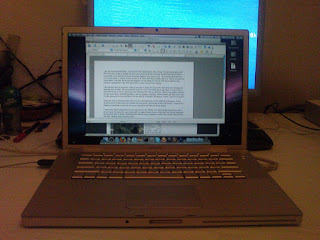
I got my new computer...a shiny powerful macbook pro. I have been (wet)dreaming about this for a long time. Here in Europe the mac cost as much as in the US as far the absolute price number is concerned. Lately though the dollar exchange rate has dropped very much to euro. Thus buying stuff from the US is very cheap. A cousin of mine studies in NY and when the semester was over and he was about to come home I sent him the money and bought it on my behalf. It cost me 1500 euros which is very cheap in comparison to the 2500 euros that it would cost me here. Hoorey!

macbook pro

The machine itself is awesome. Using a mac mini at home for years now I had been sick of seeing the spinning ball of death. The poor mini, as much as I love it, was showing its age. Back at work I have a powerhouse but at home I could not even watch an HD video on the mini. I had to use another machine for that or for heavy stuff like gaming. I can now run Azureus, Neoffice, iTunes Firefox and Safari each with 10 tabs open and the machine does not even stall for a moment. Revelation! Power, I need more power!


Since this was my first Intel Mac I have to say I am impressed. I even installed bootcamp to install windows on it to play some not available for mac games. Everything worked flawlessly. A soon as I got I installed everything I could not run on my mini just to get that out of my system.

I have some small complaints. Where is the damn delete button? And I do not mean the button the says delete and it is right in front of me as I type this line. On the keyboard I do not know how to delete a character from the left...no I do not mean a backspace delete..the other side. Oh well. Another small concern that does not have to with the macbook pro itself but with Mac OS X Leopard. I do not like how spaces work. In my Linux box at work I can assign a key combination (using either Gnome or KDE) to the next desktop on the left or on the right. With spaces I can only assign absolute desktop numbers to a key combination. Go figure. I suppose I cannot have it all. Anyways...this machine kicks serious ass.

As a game geek that I am, the first thing I did was to install openVPN in order to be able to play online with friends. We have set up a small game server back at the office that we use to play LAN games from our houses. In a few minutes I had openVPN, teamspeak and Warcraft 3 installed ready to play. The next thing I will do is to install eclipse, jboss and liferay on it to have it ready for battle. I want to see in how many minutes (or seconds) jboss will need to boot with the portal engine on it. I will see about that; In the meantime I will enjoy my new macbook pro. Awesome!